
Smart Home Technology: What’s Actually Worth Buying — And What Usually Ends Up Ignored

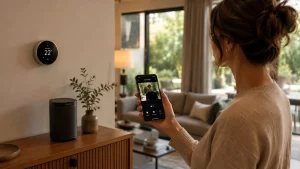 A smart home uses internet-connected devices to automate and control systems like lighting, security, heating, appliances, and entertainment. Smart home technology helps homeowners improve convenience, reduce energy waste, monitor security remotely, and automate repetitive daily tasks using apps, sensors, voice assistants, or scheduled routines.
Smart home technology is no longer new. The biggest difference between today’s smart home systems and the versions people installed back in 2019 is how much connectivity, automation, compatibility, and reliability have improved over the last few years.
That doesn’t automatically mean you need to replace every older device in your house. Some older smart home products still work perfectly fine for basic automation, while others struggle with modern app support, slower connectivity, limited integrations, or missing security updates. The goal of this guide isn’t to convince you to upgrade everything overnight. It’s to help you figure out whether your current smart home setup still makes sense in 2026 or if certain devices are starting to fall behind.
Smart homes were supposed to feel futuristic by now. Instead, a lot of people are standing in dark kitchens asking why the voice assistant suddenly stopped working after yesterday’s app update.
That’s pretty much the smart home industry in 2026. Some devices genuinely improve everyday life. Others create expensive little ecosystems of chargers, subscriptions, firmware bugs, and notifications nobody asked for.

The problem is that most smart home articles still talk about the category like it’s 2019:
- “Control your lights from your phone.”
- “Live in the future.”
- “experience seamless automation.”
Meanwhile, real homeowners are dealing with:
- random disconnects
- subscription fatigue
- weak apartment Wi-Fi
- battery replacements
- incompatible apps
- overcomplicated routines nobody in the family uses properly
But smart homes are still growing fast because the useful parts really are useful. A well-planned setup can reduce energy waste, improve home security, simplify repetitive tasks, and help households run more efficiently without constantly demanding attention.
That last part matters.
The best smart home technology fades into the background. The worst setups feel like unpaid IT support inside your own house.
So instead of another generic “pros and cons” article, this guide looks at what smart home ownership actually feels like after the excitement wears off — what continues helping daily life, what quietly becomes annoying, and which upgrades are genuinely worth paying today.
What Is a Smart Home, Really?
A smart home is simply a house using internet-connected devices to automate or remotely control things like:
-
- lighting
- heating and cooling
- security
- appliances
- entertainment systems
<
- energy monitoring
In reality, most people don’t build fully automated sci-fi houses.
They usually start with:
- a smart speaker
- a video doorbell
- smart lights
- Maybe a thermostat or robot vacuum
That’s enough for most households.
Modern smart homes typically revolve around ecosystems like:
- Amazon Alexa
- Google Home
- Apple HomeKit
- Samsung SmartThings
And this is where many beginners already make their first mistake.
They buy random devices before choosing an ecosystem.
That usually leads to:
- Multiple apps
- Inconsistent automations
- Devices disappearing from networks
- Voice assistants support only half the features
Smart homes work best when they behave like one system instead of five disconnected gadgets competing for attention.
Why Smart Homes Became More Popular Recently
The smart home industry changed a lot after remote work became common and utility costs started rising.
People stopped viewing smart devices as luxury gadgets and started using them for practical reasons:
- Lowering electricity bills
- Monitoring deliveries
- Checking cameras remotely
- Automating repetitive tasks
- Helping elderly relatives live independently longer
- Improving home security without expensive installations
That’s also why the most successful smart devices today are surprisingly boring.
The products people continue using years later are usually:
- Smart thermostats
- Motion lighting
- Leak sensors
- Robot vacuums
- Video doorbells
- Smart locks
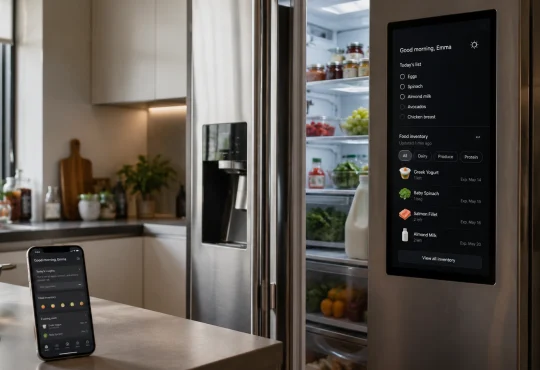
Not touchscreen refrigerators.
Not app-controlled toasters.
Not Wi-Fi toothbrushes.
Smart Lighting Is Useful — But Only If You Install It Properly
Smart lighting is one of the easiest entry points into home automation, but it’s also where many setups become annoying fast.
At first, people focus on novelty features:
- Changing colors
- Syncing lights with music
- App controls
Most stop caring about that after a few weeks.
The features people actually keep using are much simpler:
- Hallway lights activate automatically at night
- Outdoor lights turning on at sunset
- Bathroom lighting dimming overnight
- Garage lights are shutting off automatically
- Bedside lights controlled without getting up
Motion lighting works because it removes friction instead of creating another task.
That’s an important distinction in smart homes.
Smart Bulbs vs Smart Switches
This is probably the most common beginner mistake.
People buy smart bulbs because the setup looks simple. Then someone in the house flips the physical wall switch off and suddenly:
- The bulb disconnects
- Voice commands fail
- Automations stop working
- The app can’t find the device
Shared households expose this problem quickly.
That’s why experienced smart home users often prefer smart switches for:
- Kitchens
- Hallways
- Shared living spaces
Products like:
- Philips Hue White and Color Ambiance
- Lutron Caséta Smart Switch
Cost more than cheaper Wi-Fi bulbs, but reliability matters more long term.
Cheap smart bulbs often work perfectly for three months and then slowly become inconsistent:
- Delayed responses
- Random disconnects
- Firmware issues
- Weak app support
That’s the kind of ownership reality many reviews skip entirely.
Smart Thermostats Are One of the Few Devices That Can Actually Pay for Themselves
A lot of smart home gadgets promise convenience. Smart thermostats are one of the few upgrades that can genuinely reduce household costs over time.
Devices like:
- Google Nest Learning Thermostat
- Ecobee Smart Thermostat Premium
Learns schedules, monitors occupancy, and reduces unnecessary heating or cooling automatically.
But here’s something many people misunderstand.
The best feature usually isn’t remote phone control.
Most owners stop adjusting temperatures manually from apps after the first few weeks.
The real value comes from:
- Reducing wasted AC while nobody’s home
- Overnight temperature optimization
- Occupancy detection
- Energy usage reports
- Schedule automation
Large homes usually see the biggest savings because heating and cooling costs scale quickly with space.
Small apartments often won’t experience dramatic financial differences, which is why some renters end up disappointed after expecting huge utility reductions.
Another Thing Nobody Mentions Enough: HVAC Compatibility
Older homes sometimes require additional wiring or adapters before smart thermostats work properly.
That’s one reason professional installation still matters for many households.
Not every home is “plug and play.”
Video Doorbells Became More About Deliveries Than Security
Marketing still frames video doorbells as high-tech crime prevention tools.
In reality, most people use them for:
- Package monitoring
- Checking visitors
- Avoiding unwanted door interactions
- Monitoring deliveries
- Checking outside noise without opening the door
They basically function as remotely accessible peepholes now.
Popular models include:
- Ring Video Doorbell
- Google Nest Doorbell
And yes, they’re genuinely useful.
But there are frustrations people rarely discuss before buying.
Weak Wi-Fi Ruins Smart Doorbells
This becomes especially obvious in:
- Apartment buildings
- Larger houses
- Brick homes
- Older properties
If the front door receives poor Wi-Fi coverage:
- Notifications arrive lateThe
- Video loads slowly
- Live feeds buffer constantly
- Motion alerts become unreliable
Some homeowners spend hundreds on cameras before realizing their router placement is the real problem.
A strong mesh Wi-Fi setup often improves smart homes more than buying additional gadgets.
Robot Vacuums Improved a Lot — But They Still Require Maintenance
Robot vacuums are one of the few smart home devices people consistently keep using long-term.
Especially households with:
- Pets
- Hardwood floors
- Allergies
- Children
- Open floor plans
Models like:
- iRobot Roomba Combo j9+
- Roborock S8 Pro Ultra
Can genuinely reduce daily floor cleaning.
But ownership reality looks different from advertisements.
What Actually Happens After a Few Months
Common frustrations include:
- Hair tangling brushes constantly
- Sensors needing regular cleaning
- Mapping problems after furniture moves
- Loud auto-empty stations
- Mop pads develop odor if ignored
- Charging dock alignment failures
Robot vacuums also change household behavior slightly.
People who enjoy them long-term usually:
- Reduce floor clutter
- Lift cables
- Reorganize furniture spacing
- Avoid leaving socks everywhere
Homes that stay messy tend to frustrate robot vacuums quickly.
That’s why reviews vary so wildly between households.
Smart Home Security Is More Useful for Prevention Than Protection
Modern smart security systems can include:
- Motion sensors
- Cameras
- Leak detectors
- Smart locks
- Smoke alarms
- Window sensors
- Garage monitoring
The biggest benefit usually isn’t dramatic crime prevention.
It’s awareness.
For example:
- Knowing a package arrived
- Checking whether doors are locked
- Detecting leaks early
- Confirming kids returned home safely
- Monitoring elderly relatives remotely
Leak Sensors Are Wildly Underrated
Honestly, leak sensors deserve more attention than expensive AI-powered cameras.
A small sensor near:
- Water heaters
- Washing machines
- Sinks
- Basement pipesItIt
can prevent thousands of dollars in water damage by detecting leaks early.
And unlike flashy gadgets, they solve a very expensive real-world problem.
Smart Homes Have Hidden Costs Nobody Talks About Enough
This is where many buyers get surprised.
The upfront device price is often only the beginning. Here are the common ongoing costs:
Subscription Fees
Many smart devices now charge monthly fees for:
- Cloud video storage
- Advanced AI detection
- Extended camera history
- Professional monitoring
- Premium automation features
A fully connected smart home can quietly accumulate:
- $10 here
- $15 there
- Another $8 elsewhere
Until the household is paying significant monthly subscription costs.
Battery Replacements
Smart locks, sensors, cameras, and detectors all need maintenance eventually.
And battery anxiety becomes real surprisingly fast.
Nothing exposes weak smart home planning faster than:
- Dead door lock batteries
- Disconnected smoke detectors
- Offline cameras during travel
Product Lifespan Problems
This is a growing industry issue.
Some companies:
- Abandon apps
- Discontinue cloud support
- Stop releasing updates
- Shut down servers entirely
A smart device is only as “smart” as the company maintaining it.
That’s why ecosystem stability matters now more than flashy features.
The Smart Home Devices Most People Regret Buying
Some categories still feel like solutions searching for problems.
Common examples include:
- Smart refrigerators
- App-controlled kitchen appliances
- Connected mirrors
- Smart coffee makers
- Internet-enabled air fryers
- Smart toothbrushes
The issue is a convenience imbalance.
If opening an app takes longer than pressing a physical button, most people stop using the smart feature eventually.
That’s why the best smart home technology usually works passively in the background.
- Good automation removes friction.
- Bad automation creates extra steps.
Apple vs Alexa vs Google: Which Smart Home Ecosystem Makes the Most Sense?
This decision matters more than most beginners realize.
Apple HomeKit
Usually best for:
- iPhone users
- Privacy-focused households
- Premium smart home setups
Pros:
- Strong privacy reputation
- stable automation
- Clean interface
Cons:
- Fewer compatible devices
- Higher costs
Amazon Alexa
Usually best for:
- Budget setups
- Beginners
- Broad device compatibility
Pros:
- Huge device support
- Affordable ecosystem
- Simple setup
Cons:
- Privacy concerns for some users
- Inconsistent long-term product strategy
Google Home
Usually best for:
- Android users
- Voice command accuracy
- Google ecosystem integration
Pros:
- Strong voice recognition
- Excellent search integration
Cons:
- Some product instability has historically
- Occasional ecosystem shifts
This is why randomly mixing ecosystems often creates frustration later.
Smart Homes for Renters vs Homeowners
Another thing generic articles rarely explain properly.
Renters Usually Benefit More From:
- Smart plugs
- Portable cameras
- Smart bulbs
- Robot vacuums
- Voice assistants
These are easy to remove during moves.
Homeowners Usually Benefit More From:
- Smart switches
- Thermostats
- Integrated security systems
- Leak sensors
- Smart locks
Permanent installations make more financial sense when staying long-term.
Are Smart Homes Worth It Today?
For most people, partially smart homes make far more sense than fully automated ones.
The best setups usually focus on:
- Convenience
- Security
- Energy savings
- Reducing repetitive tasks
Not showing off technology.
The biggest mistake people make is automating things that were never inconvenient in the first place.
That’s how homes become cluttered with unused apps and forgotten gadgets.
Meanwhile, the genuinely valuable upgrades tend to be boring:
- Automatic hallway lighting
- Leak alerts
- Thermostat scheduling
- Reliable robot vacuuming
- Remote package monitoring
The technology that survives long term is usually the technology demanding the least attention.
Final Thoughts
Smart homes are no longer futuristic experiments. They’re becoming normal household infrastructure, similar to Wi-Fi itself.
But the industry still oversells complexity and undersells reliability.
That’s the real lesson most homeowners learn after a year or two.
The best smart home setups don’t feel futuristic. They feel invisible. They quietly solve problems, reduce friction, and fit naturally into everyday routines without forcing people to think about the technology constantly.
And the moment a smart device creates more work than it removes, it probably wasn’t worth buying in the first place.